Download Deriv MT5 for desktop
Get the full Deriv MT5 desktop experience on your Windows or macOS. Trade with advanced charting, Expert Advisors, and stable performance designed for professional and active traders.
Why install MT5 on desktop
Enhanced performance
Run multiple charts and Expert Advisors at optimised performance.

Advanced tools
Access the full suite of indicators, drawing tools, and backtesting features.
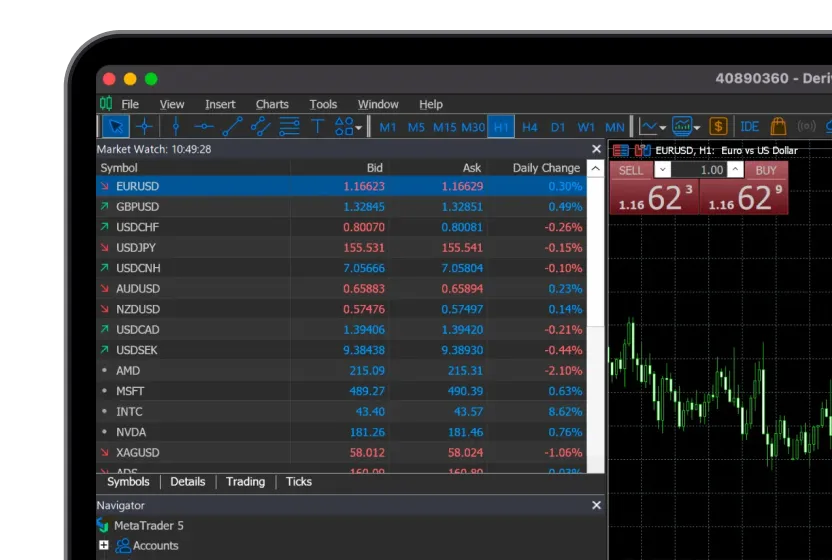
Cross-platform access
Available for both Windows and macOS.




.svg)


How to install Deriv MT5 desktop
1
Get the Windows app
Download Deriv MT5 for Windows to your device.
2
Run the installer
Open the downloaded file and follow the setup instructions.
3
Launch Deriv MT5
Open the installed Deriv MT5 app from your desktop or start menu.
4
Log in and start trading
Log in with your Deriv MT5 details to start trading.
1
Get the MacOS app
Download Deriv MT5 for macOS to your device.
2
Install the app
Open downloaded file and drag Deriv MT5 to Applications folder
3
Launch Deriv MT5
Open the Deriv MT5 app from your Applications folder.
4
Log in and start trading
Log in with your Deriv MT5 details to start trading.
Windows vs Mac: What’s the difference?
Deriv MT5 desktop FAQs